Project Log / May 22, 2026
Brickpilot, So Far
A public snapshot of the Tucson PHEV research loop: supervised drives, voice bookmarks, manual labels, local ML, and the tooling that turned road feel into evidence.
HazardCookie is where this workshop gets written down. The current project is Brickpilot: a supervised research fork around a comma 4 installed in a Hyundai Tucson PHEV. It is not a product launch and it is not trying to pretend the car drives itself. It is a working lab for asking a narrower question: when the system feels good or bad on a real road, can that moment be found again, labeled, compared, and improved without relying on memory alone?
The project started as a simple curiosity: how far can an open driver-assistance stack be pushed on a real family crossover before the limitations become obvious? It got more useful when the answer stopped being one magic setting and became a loop. Drive. Say what happened. Ingest the route. Review the exact window. Compare signals. Patch carefully. Drive again.
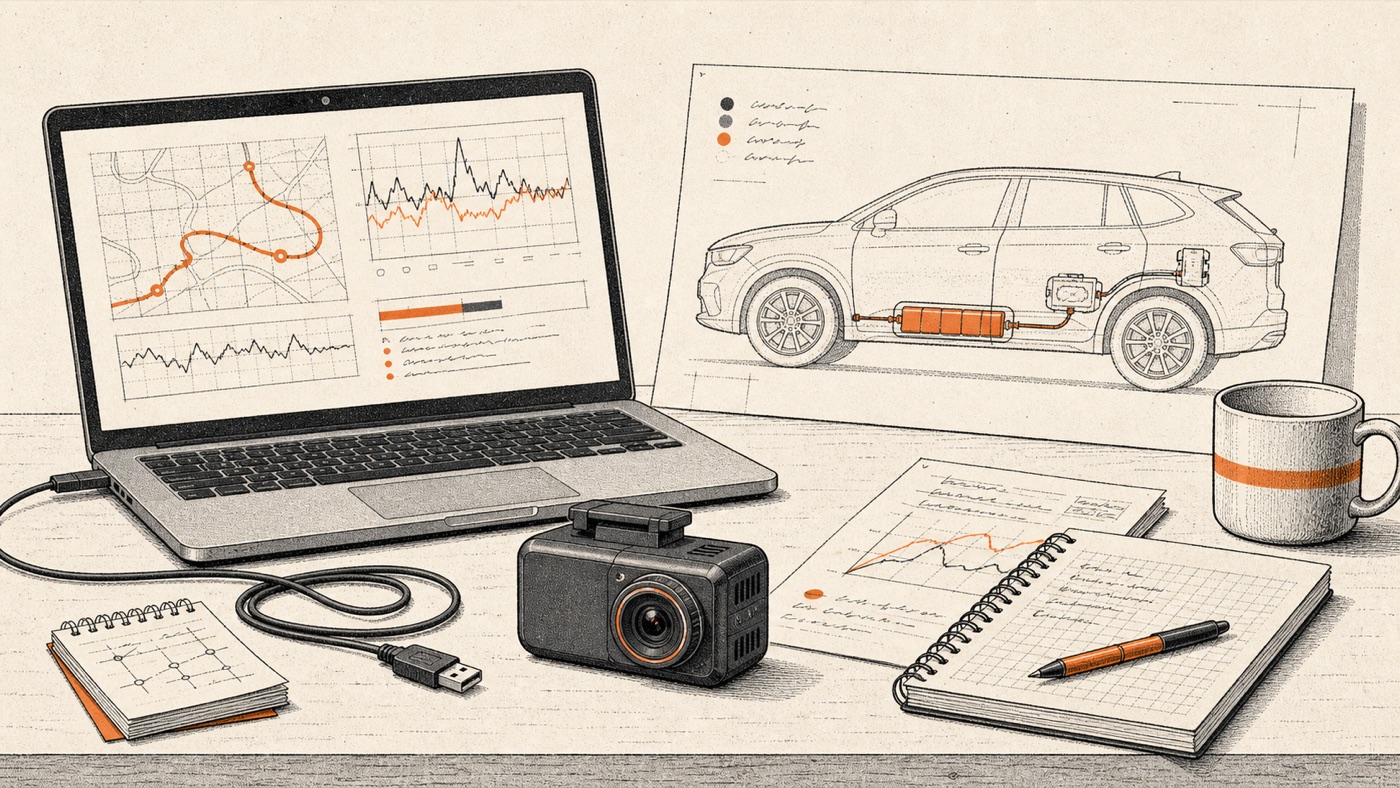
The car became the test bench
The vehicle matters. A plug-in hybrid Tucson is not just a generic SUV with different badges. It carries extra mass, a different energy path, and enough platform-specific behavior that small assumptions can show up as strange steering or longitudinal feel. One of the first clean wins came from treating the PHEV as its own thing instead of letting it inherit a rougher approximation.
The loop got a workbench
The local Brickpilot UI is a practical tool, not a public product. It records voice bookmarks during supervised drives, tracks review jobs, pulls routes from the device, and keeps analysis close to the actual road test. That changed the project. A sentence said in the car can become a timestamp, a later video frame, a colored mark on a timeline, and finally a label that can be counted.
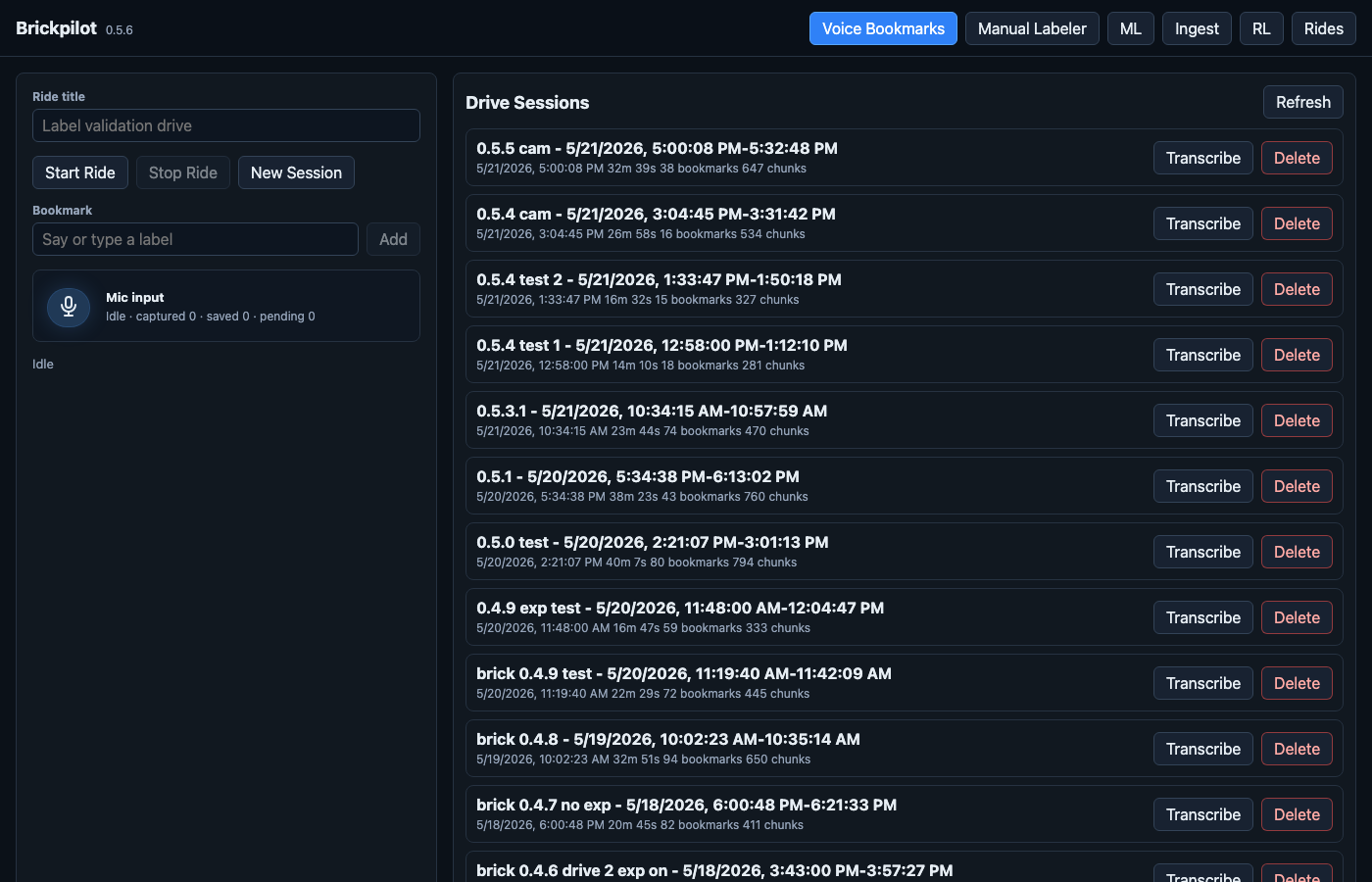
This is the main practical trick. The driver does not need to remember every problem precisely after the drive. A quick note like "late brake," "good stop," "engine came on," or "steering jerk" becomes a bookmark. Later, the labeler opens the route at the right neighborhood of time and lets the reviewer decide what actually happened.
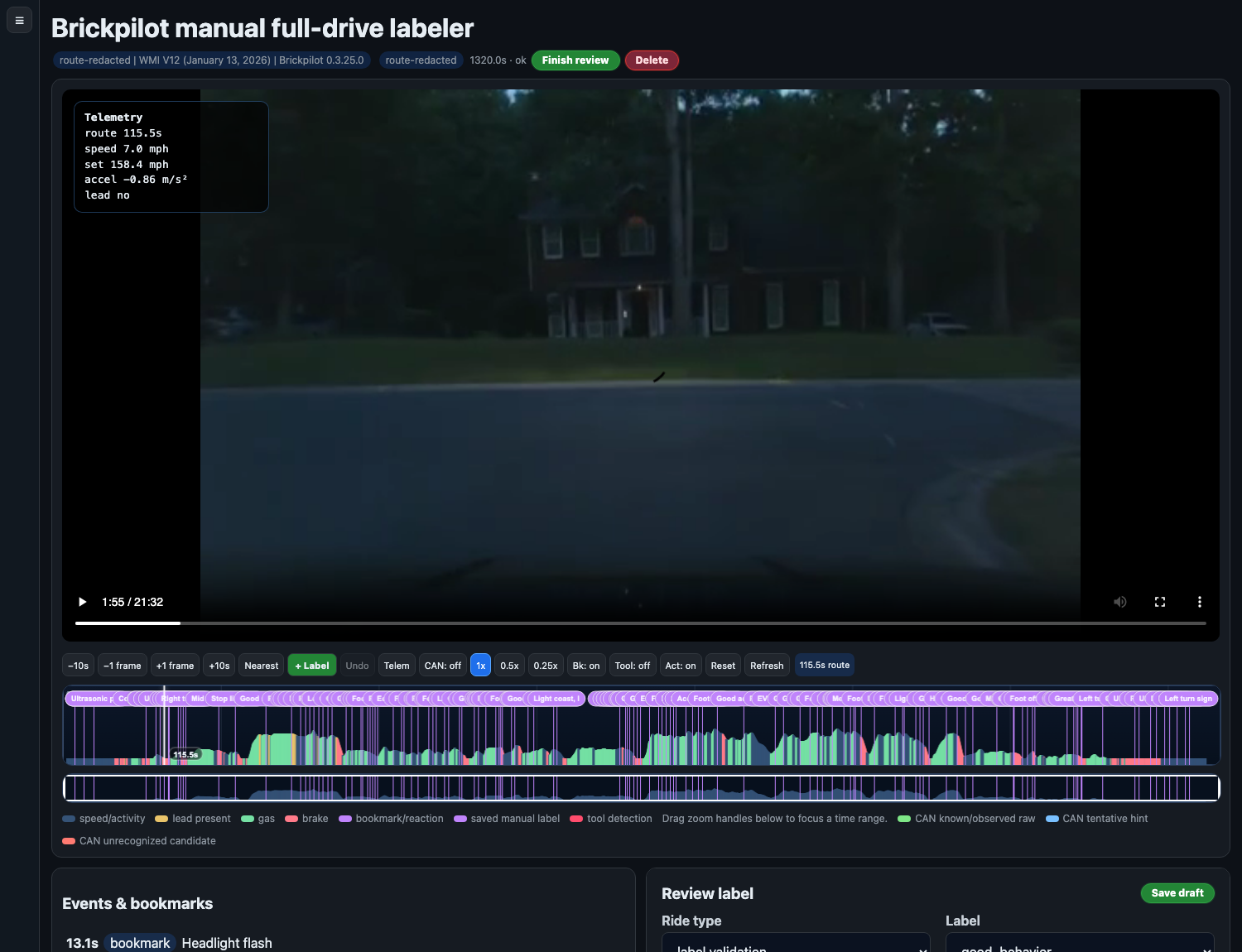
The labeler is intentionally dense because the job is not browsing. It is review work. The paused video gives visual context, the telemetry overlay answers "what was the car doing," and the timeline keeps speed, lead presence, gas, brake, bookmarks, labels, and zoom in one place. When a rough stop or a clean merge gets discussed later, it has a timestamp instead of folklore.
Ingest is the unglamorous part that matters
The ingest page is boring on purpose. It moves routes from the comma into the local Drive DB, tracks Wi-Fi or USB, records the ride type, and makes video optional. Logs are the default because they are enough for many post-drive analyses; video gets pulled when visual review or label validation needs it.
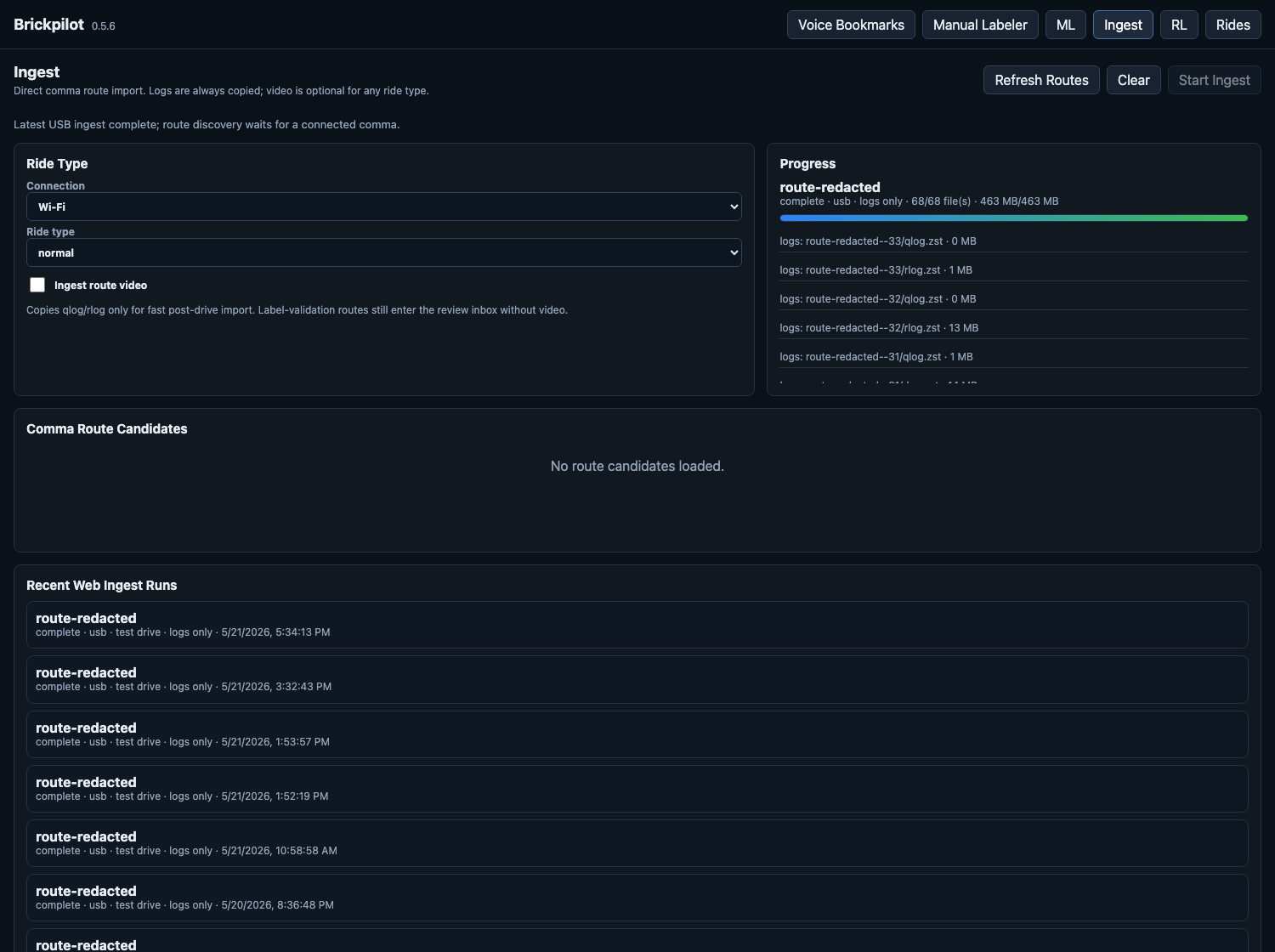
That last word matters: auditable. When a route becomes a review job, there is a record of where it came from, what kind of ride it was, whether video was included, and which files were copied. The discipline is simple: data enters through one door, gets marked, gets reviewed, and then shows up in analysis rather than drifting around as loose files.
The ML page is a scoreboard, not a magic wand
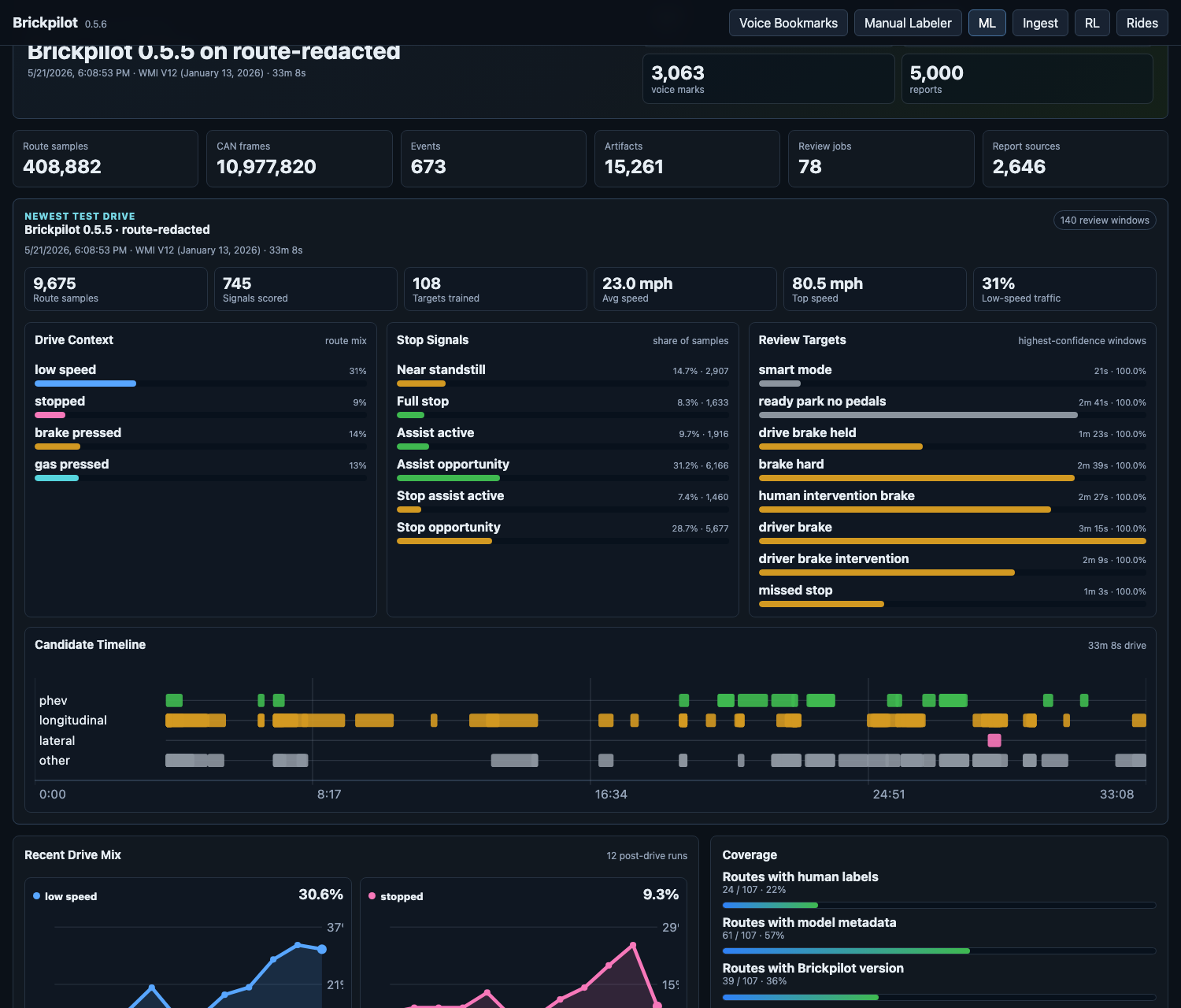
The ML dashboard is where the project becomes less about vibes. It counts route samples, voice marks, labels, CAN frames, artifacts, and review jobs. It also shows the latest test drive as a set of review windows: low-speed traffic, stop signals, braking context, PHEV state candidates, and model targets that deserve human attention.
Stop behavior is the hard part
Smooth steering is nice. Low-speed longitudinal behavior is where trust gets expensive. Brickpilot has spent a lot of time around stop creep, late slowing, lead-follow behavior, and moments where software does something plausible but uncomfortable in traffic. The useful pattern has been to avoid broad braking hacks and instead ask what actually failed: model intent, planner behavior, vehicle parameters, controller execution, or just the route context.
- Bookmarks flag the human-important windows first.
- Analysis separates steering from longitudinal behavior instead of scoring a whole drive as one feeling.
- Route comparisons look for measurable shifts: lateral error, steering saturation, lazy acceleration, speed deficits, alerts, and interventions.
- Branches that create warning patterns get quarantined, even if they seemed promising on paper.
Brickpilot, at this point, is not one patch or one dashboard. It is a working loop: supervised drives, spoken notes, route ingestion, manual review, ML scoring, and measured follow-up. The car became a test bench, and the workbench finally has tools that remember what happened.